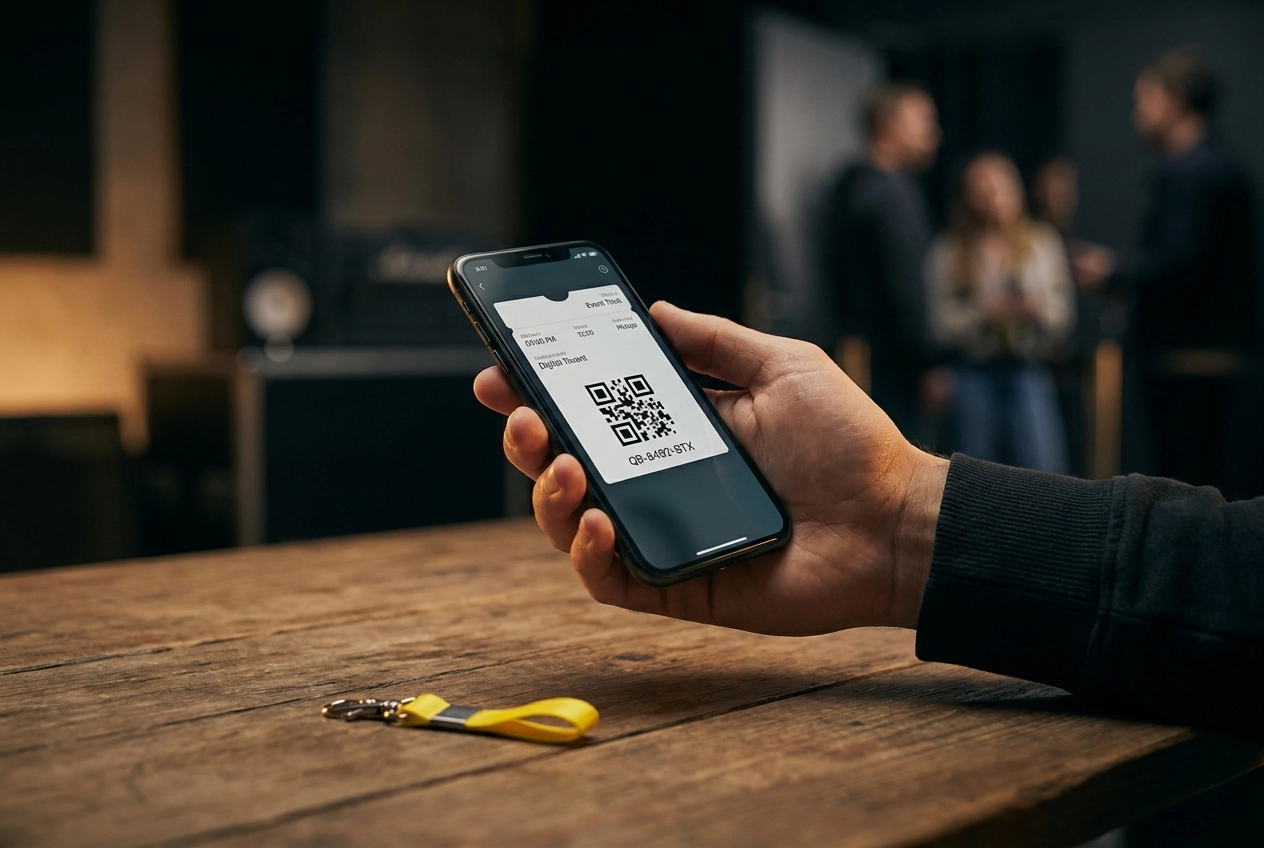
You have just bought a ticket for a concert, event, or train journey, and your e-ticket features a square grid pattern with a series of numbers underneath. But what exactly does that mean? That pattern is a QR code, and the numbers below it are the QR code number. Many people simply scan the code and don't think much more about it, but it is quite useful to know what that number is and what it is for.
In this tutorial, we explain it to you step by step, in an understandable way, without complicated jargon. You will learn exactly what a QR code number is, where you can find it on your e-ticket, and why it is so important when checking in or gaining access to an event. We also tell you what to do if something goes wrong with your code.
Whether you know little about technology or just want a quick refresher, after reading this article you will know exactly what you need to know. Let's get started!
What exactly is a QR code number?
Imagine this: you buy an e-ticket for a concert and receive an email with a square pattern of black and white blocks. That pattern is the QR code , but what many people don't know is that a unique QR code number is hidden behind that image. That number is an alphanumeric string, something like SF2026T12345678 , and is linked to exactly one ticket. This number does not exist anywhere else.
The difference is actually very simple to explain. The QR code is the visual image , the squares you see. The QR code number is the text behind it , hidden within that pattern. When a scanning app reads the code, it decodes that pattern in milliseconds and extracts the unique number. As researchers from the University of Maryland explain , the QR code is simply the visual carrier of the actual data. The three small "eyes" in the corners of every QR code ensure that a scanner can read the code from any angle, making scanning at a busy festival entrance lightning fast.
You will often find the QR code number on your ticket as readable text, usually directly below or next to the QR code image. This is convenient, because it allows the door attendant to manually verify the number if a scan fails.
This number is the backbone of modern access control. As soon as it has been scanned once, the system marks it as "used". A second scan attempt is immediately rejected, making fraud with copied tickets impossible. Want to read more about the history and operation of QR codes ? The technology can encrypt up to 7,000 characters, making every ticket truly unique.
What does a QR code number look like?
A QR code number concretely looks like a sequence of letters and numbers, such as SF2026T12345678 . That combination sounds random, but there is a logical structure behind it. Many ticket platforms build the number from various parts: the first letters refer to the event or the organizer, followed by the year, then the ticket type, and finally a unique sequence number. This way, you can see at a glance that this ticket was created in 2026, is of a specific type, and has a unique place in the sequence.
Length and variation
The length of a QR code number varies by platform. Some platforms use a compact 8-digit number, while others opt for a long alphanumeric sequence of 16 or more characters. The longer and more varied the sequence, the harder it is to guess a valid number. With a combination of uppercase letters, numbers, and lowercase letters, there are so many possible variations that fraud is statistically virtually impossible. Want to know more about how QR codes work at events? Then check out this comprehensive guide on QR code event tickets .
Valid ticket versus a copy
You can recognize a valid e-ticket by a clear, sharp QR code that is fully legible, supplemented with the ticket number below it. A screenshot of someone else's ticket might look identical, but as soon as the system has scanned that code before, an error message appears immediately. On platforms like Kaartjie , you receive your e-ticket via email as a clear PDF, with the QR code number prominently displayed. This way, you know immediately that your ticket is personal and unique.
Why is every QR code number unique?
Any ticketing system worthy of the name ensures that no two visitors have exactly the same code. As soon as you purchase a ticket, the system generates a unique number specific to your purchase at that moment. This number is embedded in the QR code and linked to a central database. It simply does not matter how many tickets are sold; each copy is assigned its own unique identity.
The one-time scannable principle
The smart part lies not only in the uniqueness, but also in what happens next. As soon as your QR code number is scanned at the entrance, the system immediately marks that ticket as "used". If you try to scan it again, the system immediately and automatically refuses entry. This happens in milliseconds, without the volunteer at the door having to think about it.
A great example from practice: at a DN Ticket demo event, 1,904 successful scans were registered. In addition, visitors attempted to resubmit an already scanned ticket 46 times, and there were only 18 completely invalid codes. The system recognized all these cases flawlessly and rejected them. These are impressive figures that demonstrate how reliably such a system works in practice.
Fraud has no chance
Suppose a friend sends you a screenshot of their ticket. Sounds smart, but it doesn't work. As soon as the original is scanned, or as soon as you both stand at the entrance at the same time, the system detects the duplicate and denies entry. This is a world of difference compared to the old paper guest list, where an employee had to manually cross names off. That took time, was prone to errors, and left room for abuse.
With a unique QR code number, access control is faster, more objective, and much safer for everyone.
How does scanning as a visitor work?
Now that you know what a QR code number is and why it is unique, it is useful to know how scanning works in practice. Fortunately, as a visitor, it is very simple.
Step 1: Open your e-ticket from the confirmation email
Immediately after your purchase, you will receive a confirmation email containing your e-ticket. Open this email on your smartphone and tap on the ticket or the download link. You do not need a separate app to view or show the ticket. Please note: also check your spam folder if you do not see the email immediately, as confirmation emails sometimes end up there by mistake.
Step 2: Set your screen brightness to maximum
This is a small but important step, especially in dark environments such as a concert hall or church. The scanner reads the QR pattern using camera contrast, and a screen that is too dark makes this difficult. Swipe up on your phone and turn the brightness all the way up before you get in line. This way, the scan will proceed without any hassle.
Step 3: Keep your screen steady in front of the scanner
Hold your phone still and directly in front of the employee's scanner. Tilting or moving it will prolong the reading time. The scan app provides feedback within a second: a green screen or a beep means your ticket is valid and you can enter. An orange or red signal indicates that something is wrong, for example, that the ticket has already been scanned.
Handy tip: take a screenshot as a backup
The internet connection at an entrance sometimes drops out. Therefore, take a screenshot of your QR code in advance and save it to your photo gallery. This way, you will always have access, even without coverage. Additionally, check whether your ticket is linked to a specific time slot. A ticket for a time slot that has already passed may be marked as invalid. So, read the ticket details in your confirmation email carefully before you leave home. You can find more background information on how scanning QR codes works at Flextickets.
What if something goes wrong with the scan?
Even with a perfect system, something can sometimes go wrong at the entrance. Don't panic, because most problems are quickly resolved. Below you will find the four most common scenarios and what to do.
'Already scanned' message
This means that your unique QR code number has already been registered by the scanner. After all, each code is valid only once. Are you receiving this message while you are certain that you have not yet passed the entrance? Then contact the organizer at the entrance immediately and show your original confirmation email. That email contains a timestamp and order number that allows the organizer to manually verify your purchase. Therefore, always keep that confirmation email, even after you have downloaded the ticket.
'Invalid ticket' message
An invalid code can have various causes. Perhaps you accidentally opened a ticket for another event, or the QR code has been damaged by folding, getting wet, or a scratched screen. While QR codes do have built-in error correction, severe damage can prevent the scanner from reading the pattern correctly. Always check that you are opening the correct ticket for the correct event on the correct date.
Screen too dark or QR code blurry
This is by far the most common practical problem. Set your screen brightness to the maximum, do not zoom in on the code, and ensure the scanner can see the entire QR code, including the white border. Avoid backlight and hold your phone still. You can find more tips in the complete guide on QR codes for events .
No internet connection at the entrance
Modern scanning apps like the one from Kaartjie also work offline. The ticket data is loaded onto the device in advance, so that access control continues uninterrupted without a network connection. As soon as the connection is restored, everything automatically synchronizes with the central dashboard.
What the organizer sees
Via the dashboard, the organizer has real-time insight into all scanning activity: successful scans, rejected attempts, and the number of remaining tickets. This allows an organizer to see immediately if anything unusual is happening and intervene quickly.
As an organizer, scan tickets with Kaartjie
Are you an organizer yourself and do you want to know how to check tickets at the entrance? With Kaartjie you don't need to master any complicated technology. The scanning function is built into the platform and works simply via the smartphone of the organizer or a volunteer. No separate app to download, no technical installation, just open the browser and start scanning.
All-inclusive, no surprises afterwards
What makes it even better: the scan function costs nothing extra. Everything is included in the standard rate of €0.35 per free ticket or €0.80 per paid ticket (including iDEAL transaction fees). No subscription is required, there are no setup costs, and no separate access control package. For small organizations such as a neighborhood association, church, or workshop organizer, that is a major advantage. You know exactly what you will spend in advance, with no hidden costs.
Working with multiple scanners simultaneously
Are you organizing a busy workshop evening or a sold-out church service? Then you can have multiple volunteers or staff members scan tickets simultaneously at different entrances. This so-called multi-user scanning is essential when many visitors enter in a short period of time. As a rule of thumb: with more than 150 visitors per hour, one scanner is insufficient. With Kaartjie , you can easily deploy multiple people without them needing special permissions or their own account.
Live view of how many visitors are inside
As guests arrive, you, as the organizer, see in real-time how many visitors have already passed through the entrance. This is useful for capacity management, especially at venues with a maximum number of permitted visitors. During busy events, peak times can reach as many as 164 scans per hour. With a live overview, you always stay in control, even during a hectic moment at the door.
Accessible to every visitor
Finally, visitors do not need to create an account with Kaartjie . They purchase their ticket directly via iDEAL | Wero and automatically receive the QR code ticket by email. They show the ticket on their phone or as a printed sheet at the entrance, and a volunteer scans it in a few seconds. This works for everyone, from teenagers to seniors. Want to know more about the technical aspects of that scanning process? Funraise's explanation of QR code ticket scanning provides a good overview of how similar systems work from the visitor's perspective.
Privacy and GDPR: what data is contained in your QR code?
A question many people overlook: what is actually in that QR code on your ticket? The answer is reassuring. The QR code itself almost never contains readable personal data such as your name or email address. Instead, the code contains a unique reference string, something like a digital key that points to a record in the ticket platform's database. Think of it as a locker number: the number on its own says nothing, but in combination with the right system, it opens exactly the right door.
The link between that QR code number and your name or email address is therefore securely stored on the platform's secure servers, not in the code itself. If someone were to photograph or copy the QR code, they would only see a meaningless sequence of characters. All the intelligence, such as validity checks and the link to your data, resides in the system behind it. You can read more about how this validation works technically in this comprehensive guide on QR code tickets .
What does this mean for you as an organizer?
This is where it gets important. As soon as you, as an organizer, collect names and email addresses to send tickets, you are processing personal data. This means that you fall under the General Data Protection Regulation (GDPR) and are a data controller. This applies even if you organize a small church service with twenty attendees or a workshop evening for a handful of participants. The GDPR makes no exception regarding size.
Practical advice: do not store scan data longer than necessary for access control. Use only the data you truly need and delete ticket information after your event. Also be transparent with your visitors: state in your invitation or ticket confirmation which data you process and why. The ticket platform you use acts as a processor and must offer a data processing agreement.
Kaartjie was built with this type of small organizer in mind. You don't have to be a privacy lawyer to sell tickets responsibly, but a little awareness of what data you collect immediately makes your event more professional and careful.
QR code tickets in practice: concert, workshop, and church service
Theory is all well and good, but how does a QR code ticket actually work in practice? That varies depending on the type of event. Below, we discuss three concrete situations that you might recognize.
Concert: quick through the entrance without queues
At a concert or festival, no one wants to stand in line endlessly. Fortunately, scanning a QR code ticket is lightning fast, literally a matter of seconds per visitor. For larger events with more than 100 visitors per hour, it is smart to deploy multiple scanning stations. This is called multi-user scanning: several people scan simultaneously with their own smartphones, all connected to the same system. Duplicate scans are blocked immediately, invalid codes are marked, and everything is tracked in real time. This makes queues at the entrance a thing of the past.
Workshop: the right person at the right time
Are you organizing a workshop with multiple sessions on a single day? Then a QR code ticket is especially handy. Upon scanning, you can immediately see if the right participant is present and if they have booked the correct time slot. No more confusion about who is expected when, no more comparing manual lists. One scan gives you all the information you need.
Church service: capacity management without paperwork
This is a segment that receives little attention in ticketing articles, but is certainly relevant. Many church congregations organize services at Christmas or Easter where capacity is limited. QR tickets then completely replace paper reservation lists and circulated Excel spreadsheets. Visitors reserve online, receive their ticket by email, and simply show it on their phone at the entrance.
One thing applies to all three.
Whether you are going to a concert, taking a workshop, or attending a church service: you always receive your ticket by email and do not need to install anything or create an account. With Kaartjie it works exactly the same way. Visitors pay easily via iDEAL | Wero, a payment method that every Dutch person knows and trusts, and receive their QR ticket directly in their inbox. As an organizer, you do not need any technical knowledge and only pay per ticket sold. No subscription, no hassle, just get started.
Conclusion: this is what you need to remember about the QR code number
In short: a QR code number is the digital key to your ticket . It is unique, scannable only once, and personal. You cannot simply forward it to a friend without the organizer's knowledge, because once the code has been scanned, it will never work a second time.
As a visitor, remember three things: set your screen to maximum brightness before taking your seat, always save your confirmation email, and contact the organizer immediately if you receive an error message. After all, the solution always lies with them, not with you.
As an organizer , you choose a platform with real-time scan data, support for multiple scanners simultaneously, and a low barrier to entry. That is exactly what Kaartjie .nl was built for: no startup costs, no subscription, and no technical knowledge required. Whether you are selling tickets for a church service, workshop, or neighborhood concert, it works immediately.
Start a free event page today and experience for yourself how simple QR code ticketing can be.
Conclusion
Now you know exactly what a QR code number on your e-ticket is and why it is so important. Let's briefly summarize the key points:
The QR code number is the unique identification code of your ticket.
You will find the number directly below the square block pattern on your e-ticket.
Upon check-in, this number will be scanned to confirm your access.
In case of problems, you can use this number to get quick help from the organizer.
Always keep your e-ticket safe and ensure the QR code is clearly visible on your screen or as a printout. Are you unsure if your ticket is valid? Then contact the provider in time.
With this knowledge, you will head to your next event worry-free. Have fun!